
05 Nov

Enterprise software has become remarkably sophisticated, yet a surprising amount of business activity still depends on employees manually moving information between applications. Customer records are copied from one system to another, documents are downloaded and re-uploaded, spreadsheets are used to reconcile conflicting data, and employees send messages to coordinate activities that could otherwise be initiated automatically.
These tasks are rarely considered part of an organization’s integration architecture. They don’t appear on system diagrams, aren’t documented as application programming interfaces (APIs), and frequently escape the attention of IT governance teams. Nevertheless, they represent a critical operational dependency: people performing the work that disconnected systems cannot accomplish themselves.
This is the human integration layer, an informal network of manual activities that connects applications, data, and business processes through employee effort.
The problem is not that employees lack the skills to perform these activities. Quite the opposite. Organizations routinely rely on experienced professionals to compensate for gaps in their technology architecture, using their knowledge of multiple systems to ensure that business processes continue functioning.
But this arrangement comes at a cost. Manual integration consumes productive capacity, introduces opportunities for errors, complicates compliance, and makes business processes increasingly difficult to scale. It also creates a dependency on institutional knowledge that can be difficult to document, transfer, or maintain.
For CIOs, CTOs, IT Directors, and enterprise architects, reducing this dependency represents an opportunity to improve operational efficiency without abandoning existing technology investments. The objective is not to eliminate human involvement from business processes, but to ensure that employees spend their time on activities requiring judgment, expertise, and meaningful interaction rather than serving as intermediaries between applications.
The Integration Problem Hiding in Plain Sight
Consider a customer onboarding process at a financial services organization. A new customer submits an application through a web portal. The information is stored in a customer relationship management (CRM) platform, but identity verification occurs in a separate service, supporting documents are maintained in a content management system, and account provisioning is handled through a specialized operational platform.
Each application performs its intended function. The CRM manages customer relationships, the identity platform verifies credentials, and the operational system maintains account information. From an application perspective, the environment may appear reasonably modern.
However, completing the onboarding process may require an employee to open each system, retrieve information, verify consistency, update records, and initiate subsequent activities. A change in one application may not automatically propagate to the others. If information is missing or inconsistent, the employee must determine which system contains the authoritative value and make the appropriate corrections.
The process works because employees understand the relationships between systems and compensate for the lack of integration.
Similar patterns appear throughout the enterprise. Healthcare administrators reconcile information between electronic health records and payer portals. Human resources teams coordinate employee onboarding across identity management, payroll, and benefits platforms. Sales operations personnel transfer information between CRM applications, contract repositories, and financial systems.
In each case, manual activity fills gaps between otherwise functional applications.
This distinction is important because conventional IT performance metrics may not reveal the problem. Applications can meet their availability targets, APIs can operate within acceptable latency thresholds, and infrastructure monitoring can report healthy systems while employees continue spending substantial time coordinating work between them.
The technology is functioning, but the business process remains inefficient.
The Hidden Costs of Manual Integration
The most visible cost of manual integration is time. Employees must open applications, locate records, interpret information, and repeat actions that could potentially be handled through direct system communication.
Research suggests that the cumulative impact of these activities is substantial.
In a study originally published in Harvard Business Review, researchers examined the application-switching behavior of 137 employees across three Fortune 500 companies. They found that participants switched between applications and websites approximately 1,200 times per day, spending nearly four hours each week reorienting themselves after those transitions.
The research, also published by the American Association for Physician Leadership, explicitly identifies employees acting as intermediaries between disconnected applications as a contributor to this problem.
The financial implications extend beyond lost time. Manual integration introduces several additional costs that are frequently excluded from technology investment calculations.
Data entry errors can propagate across multiple systems, creating inconsistencies that require investigation and correction. Delayed updates can affect downstream processes, resulting in missed deadlines, inaccurate reporting, or customer service problems. Employees may also develop informal procedures and personal spreadsheets to manage information that isn’t readily available through established applications.
These workarounds become particularly problematic when they evolve into operational dependencies. A spreadsheet maintained by one employee may become the unofficial source of truth for a business process, even though it lacks the controls, auditability, and reliability of an enterprise system.
Employee turnover creates another form of risk. When manual integration procedures exist primarily as institutional knowledge, replacing an experienced employee requires more than training someone on the individual applications. The replacement must also learn the undocumented relationships, exceptions, and corrective actions necessary to keep the process functioning.
The broader burden of administrative coordination is reflected in Asana’s 2023 Anatomy of Work Global Index. Based on a survey of 9,615 knowledge workers, the research examined time consumed by repetitive tasks, collaboration, and coordination. Asana’s accompanying findings reported that 58% of knowledge workers’ time was devoted to activities it categorized as “work about work.”
That figure should not be interpreted as time spent specifically on manual application integration. However, it illustrates the broader operational burden of coordinating work rather than performing the substantive activities that produce business value.
For enterprise leadership, the lesson is that manual integration is not free simply because it does not appear as a line item in the IT budget. Its costs are distributed across employee time, process quality, training, operational risk, and the organization’s ability to grow.
Why Traditional Integration Projects Don’t Always Solve the Problem
Enterprise integration has traditionally focused on enabling applications to exchange information. Organizations implement APIs, middleware, enterprise service buses, integration platforms, and synchronization services to connect otherwise independent systems.
These technologies are essential components of modern enterprise architecture. However, successful data exchange does not necessarily translate into a more efficient employee experience.
Consider an integration that synchronizes customer account information between a CRM application and an ERP system. The integration may successfully maintain consistent customer identifiers, contact details, and account status information.
Yet employees may still need to open both applications to complete an order, examine account history, review supporting documents, or resolve an exception.
The systems are technically integrated, but the work remains fragmented.
This happens because integration projects are frequently scoped around data movement rather than the complete business process. The project requirements specify which records must be synchronized, how frequently updates should occur, and what should happen when an API request fails. They may not address the number of applications employees must navigate or the manual decisions required to move work forward.
A more complete integration strategy must consider three related but distinct capabilities.
Data integration ensures that information can be exchanged and maintained consistently across systems. Process integration coordinates the activities, dependencies, and business rules required to complete a transaction. Experience integration presents relevant information and actions to employees in a coherent interface that supports the task they are performing.
All three are important.
Data integration without process integration can leave employees coordinating activities manually. Process integration without experience integration may automate background tasks while still requiring employees to navigate disconnected interfaces. Experience integration without reliable data and process integration can create an attractive front end that conceals underlying inconsistencies.
The greatest operational benefits emerge when these capabilities are designed together.
This requires IT organizations to evaluate integration success differently. API availability, transaction latency, and synchronization accuracy remain important technical metrics, but they should be complemented by measures of employee effort, process cycle time, manual intervention, and overall business outcomes.
Designing Integration Around the Work, Not the Applications
A more effective approach begins by examining how employees actually complete business processes.
Traditional application architecture diagrams show systems, databases, services, and the connections between them. These diagrams are valuable for understanding technical dependencies, but they rarely reveal the full sequence of human activities necessary to complete a transaction.
A process-oriented analysis should identify not only which applications participate in a workflow, but also what employees must do between those applications.
For example, a healthcare referral process might involve receiving clinical documentation, validating patient information, confirming eligibility, determining the appropriate specialist, scheduling an appointment, and notifying the referring provider.
An application inventory might identify five systems involved in these activities. A process analysis could reveal that employees perform fifteen separate manual steps to coordinate them.
Some of those steps may require professional judgment. Others may involve nothing more than copying information, changing record status, or notifying another department that an activity has been completed.
The distinction matters because the latter activities represent opportunities for integration and automation without changing the underlying decision-making responsibilities.
Organizations can begin identifying these opportunities through several complementary methods:
- Process mapping: Document the sequence of activities required to complete an end-to-end business transaction, including application transitions and manual handoffs.
- Task observation: Work directly with employees to understand the activities they perform, particularly informal procedures that may not appear in official process documentation.
- Process mining: Analyze event logs and transaction histories to identify delays, repeated activities, process variations, and operational bottlenecks.
- Exception analysis: Examine transactions requiring correction, escalation, or rework to determine whether better integration could prevent recurring problems.
- Employee feedback: Ask users where they repeatedly transfer information, duplicate work, or struggle to locate the context necessary to complete their tasks.
These techniques help distinguish between work that genuinely requires human expertise and work that exists primarily because enterprise applications do not coordinate effectively.
They also expose an important limitation of application-centric modernization. Replacing an individual system may improve its functionality without addressing the manual activities surrounding it.
In many cases, targeted integration improvements can deliver meaningful productivity gains without the expense and disruption of replacing core business applications.
Building Reusable Integration Capabilities
Once manual integration activities have been identified, the next challenge is determining how to eliminate them without creating another collection of tightly coupled, difficult-to-maintain integrations.
A common response is to build a direct connection between every pair of applications that needs to exchange information. While this may resolve immediate requirements, it can create a complex network of dependencies as the application portfolio grows.
Changes to one system may require updates to multiple integrations. Business rules become duplicated across applications, and monitoring failures becomes increasingly difficult.
A more sustainable approach is to establish reusable integration capabilities that expose business functions through consistent interfaces.
Instead of building separate integrations for every workflow that needs to retrieve customer information, for example, an organization might establish a common customer information service. That service can manage authentication, data transformation, error handling, and interactions with the underlying systems.
Multiple workflows and applications can then consume the same capability.
The same principle applies to document retrieval, identity verification, notifications, approval processing, record creation, and other commonly repeated business functions.
This architectural approach offers several advantages.
First, it reduces duplication. Integration logic is implemented and maintained centrally rather than recreated for each business process.
Second, it improves consistency. Applications and workflows use the same business rules and data transformations, reducing the risk of contradictory behavior.
Third, it simplifies modernization. When an underlying application is replaced or upgraded, the integration service can often be adapted without requiring every consuming workflow to change.
Finally, reusable capabilities make it easier to develop new business solutions. Low-code applications, workflow engines, and other orchestration technologies can consume established services rather than requiring developers to implement integrations from scratch.
However, reuse should not become an excuse to create unnecessarily complex abstraction layers. Services should represent meaningful business capabilities, with clear ownership, documented interfaces, and measurable operational requirements.
The objective is to reduce integration complexity, not merely relocate it.
Bringing Information and Actions Into the Employee’s Workspace
Even when backend integration is functioning correctly, employees may continue experiencing unnecessary friction if they must navigate between applications to access the information and actions required for their work.
This is where experience integration becomes particularly valuable.
Rather than expecting employees to follow the boundaries established by software vendors, organizations can create contextual interfaces that bring relevant capabilities into the workspace where employees already operate.
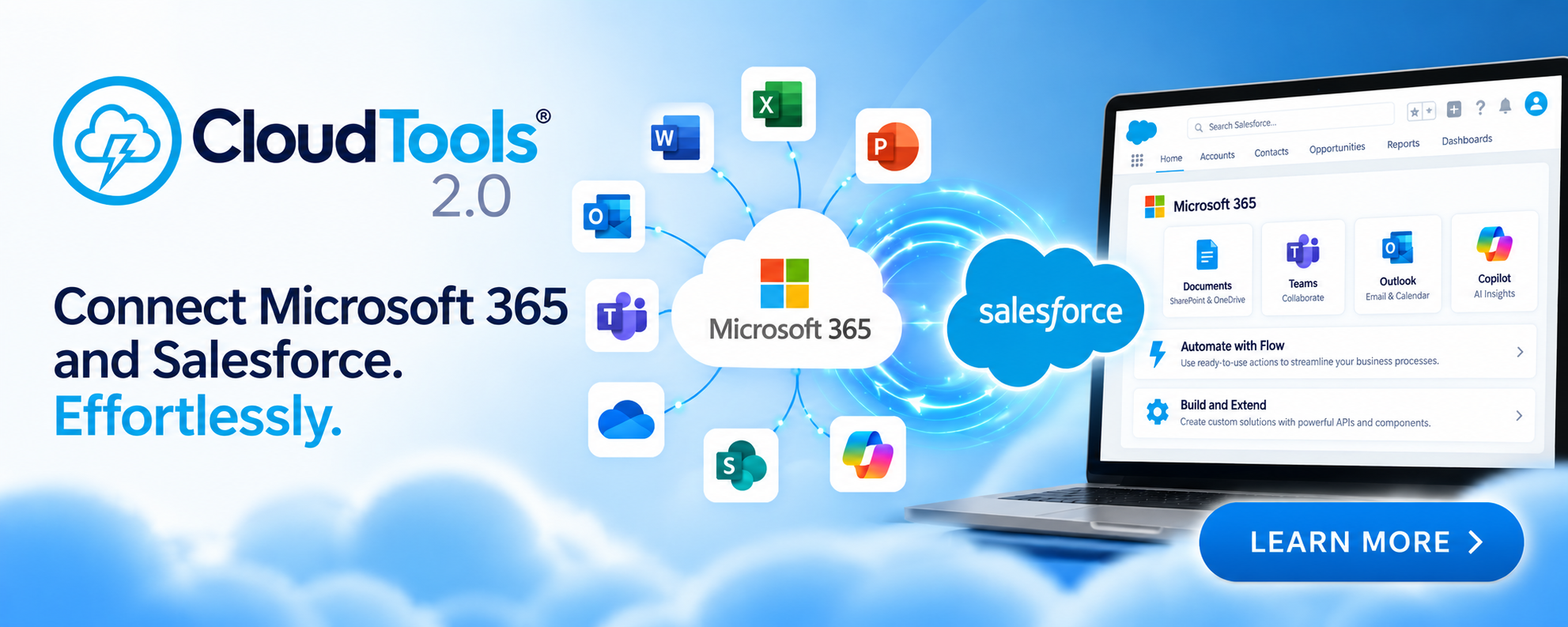
Consider a sales representative working primarily in a CRM application. Completing a customer transaction may require reviewing documents stored in a separate content management system, initiating an approval, and communicating with colleagues through a collaboration platform.
A contextual integration could expose document browsing, approval initiation, and collaboration capabilities directly within the CRM interface.
The representative would continue working within the customer record, with the relevant context preserved throughout the transaction.
The underlying applications would still perform their specialized functions. The difference is that the employee would no longer need to navigate between them simply to complete the process.
This approach can be implemented through embedded components, application extensions, low-code interfaces, reusable APIs, and other integration technologies.
However, successful implementations require more than placing several application windows on the same screen.
A genuinely integrated experience should preserve the identity of the current customer, document, transaction, or case across application boundaries. It should provide appropriate security and authorization controls, avoid unnecessary data duplication, and expose actions relevant to the employee’s current task.
For example, embedding a document repository inside a CRM page provides limited value if the employee must search for the correct customer documents manually. Passing the customer context to the document component and automatically presenting the relevant records creates a substantially more useful experience.
The difference is between placing applications together and making them work together.
Microsoft’s 2025 analysis of the fragmented workday provides additional context for why preserving employee focus matters. Using aggregated Microsoft 365 activity data, the company described an environment in which meetings, messages, and application switching repeatedly interrupt concentrated work. Its telemetry analysis reported an average interval of approximately two minutes between communication interruptions during core working hours for the measured population.
These findings concern workplace interruptions more broadly, rather than manual integration specifically. Nevertheless, they reinforce the value of designing work environments that minimize unnecessary transitions and preserve context.
Keeping People at the Center of Integration
An important distinction in this discussion is that eliminating manual integration does not mean eliminating human participation in business processes.
Many enterprise activities require interpretation, negotiation, professional judgment, or contextual decision-making that cannot be reduced to simple data transfers.
A healthcare professional reviewing a complex referral, for example, may need to consider clinical history, treatment urgency, provider availability, and information that is incomplete or contradictory.
A financial analyst investigating a disputed transaction may need to evaluate contractual obligations, customer history, unusual circumstances, and potential compliance implications.
These are not integration problems in the conventional sense. They are business decisions that depend on expertise.
The integration opportunity lies in ensuring that the employee has access to the necessary information without spending substantial time gathering it manually.
A well-designed workflow can retrieve relevant records, validate routine information, identify discrepancies, and present the supporting evidence within a unified interface. The employee can then concentrate on evaluating the situation and determining the appropriate action.
Once that decision has been made, integration services can perform the necessary downstream updates, notifications, and record synchronization.
This creates a more productive division of responsibilities: software handles predictable information movement and repetitive administrative activities, while employees retain responsibility for work requiring judgment and accountability.
It also supports better employee experiences. Professionals can spend more time applying their expertise and less time navigating systems, searching for records, or repeating administrative tasks.
Human-centric integration is therefore not simply a productivity strategy. It is a way to align technology with the actual responsibilities and capabilities of the people using it.
Managing the Risks of Cross-Application Integration
Eliminating manual work can improve consistency, but integration introduces its own operational and security considerations.
When information moves automatically between systems, organizations must ensure that appropriate access controls, data handling policies, and audit requirements remain intact.
A manual process may require an employee to authenticate separately to several applications. An integrated process may instead rely on delegated authorization, application identities, or service credentials to perform actions across those systems.
These approaches can improve efficiency, but they require careful design.
Permissions should be limited to the functions necessary for each integration. Sensitive information should be protected during transmission and storage, and integration services should maintain sufficient logging to support troubleshooting and compliance investigations.
Data ownership also becomes increasingly important.
If customer information exists in several applications, the organization must establish which system is authoritative for particular attributes and how conflicts should be resolved. Otherwise, automated synchronization can propagate incorrect information more efficiently than manual processes ever could.
Reliable integrations must also account for partial failures.
Consider a workflow that creates a customer record, provisions an account, and sends a confirmation. If the account provisioning step fails after the customer record has been created, the workflow must recognize the incomplete transaction and determine whether to retry, compensate for the failure, or escalate the issue.
Without appropriate controls, automation can introduce inconsistencies that are difficult to detect and correct.
These concerns reinforce the importance of treating integration as an enterprise capability rather than a collection of isolated technical connections.
Governance, observability, error handling, security, and lifecycle management should be incorporated into the architecture from the beginning.
Measuring the Business Value of Eliminating Manual Integration
One of the challenges in justifying integration investments is that their benefits are often distributed across multiple departments and operational metrics.
An integration project may not directly generate revenue or eliminate a software license. Instead, it reduces the effort required to complete transactions, improves information quality, and enables employees to handle additional work.
These benefits can be substantial, but they require a measurement framework that extends beyond traditional technical performance indicators.
Organizations should begin by establishing a baseline for the business processes they intend to improve. This includes documenting transaction volumes, manual handling time, application transitions, error rates, and the frequency of rework.
The most useful metrics include:
- Manual handling time: The amount of employee time devoted to transferring information, reconciling records, and coordinating activities between applications.
- Application transitions: The number of times an employee must move between systems to complete a business transaction.
- End-to-end cycle time: The elapsed time from process initiation to completion, including delays caused by manual handoffs.
- Error and rework rates: The frequency of incorrect, incomplete, or inconsistent information requiring additional processing.
- Throughput per employee: The number of transactions an employee or team can complete within a defined period.
- Exception resolution time: The time required to investigate and resolve problems involving multiple applications.
- Integration reliability: The success rate of automated transactions, including retries, failures, and unresolved inconsistencies.
These measures provide a more complete picture of integration value than simply counting the number of APIs implemented or systems connected.
Consider a hypothetical organization processing 50,000 customer transactions each month. Each transaction requires an average of four minutes of manual data transfer and reconciliation between applications.
That represents approximately 3,333 employee hours per month devoted to activities that may be candidates for automation.
If an integration initiative reduces that effort to one minute per transaction, the organization recovers approximately 2,500 hours of productive capacity each month.
At an illustrative fully burdened labor cost of $45 per hour, the recovered capacity represents an annual labor-value equivalent of approximately $1.35 million.
This does not necessarily translate into an equivalent reduction in operating expenses. Employees may redirect the recovered time toward customer service, exception handling, or other responsibilities. Nevertheless, the organization gains additional processing capacity without a proportional increase in staffing.
The financial value becomes particularly meaningful when transaction volumes are growing.
An organization that can accommodate a 30% increase in workload without expanding its processing team may avoid future hiring, overtime, or outsourcing expenses. Those avoided costs can be incorporated into a more comprehensive return-on-investment calculation.
Quality improvements should also be considered. Reducing data entry errors may lower the costs associated with corrections, customer inquiries, delayed transactions, and compliance investigations.
The key is to connect integration investments to measurable business outcomes rather than treating technical connectivity as the final measure of success.
Creating a Practical Integration Modernization Roadmap
Organizations rarely have the resources or business justification to redesign every workflow simultaneously. A more practical approach is to identify high-value opportunities and implement improvements incrementally.
The first priority should be understanding where manual integration consumes the greatest amount of employee effort.
High-volume processes involving repetitive data transfers are often attractive candidates because relatively small improvements can produce substantial cumulative benefits.
However, volume should not be the only consideration. Processes involving sensitive information, frequent errors, significant delays, or substantial customer impact may warrant attention even when transaction volumes are lower.
Once opportunities have been identified, organizations should evaluate the available integration mechanisms.
Some requirements may be addressed through existing APIs or native application connectors. Others may benefit from event-driven integration, reusable services, workflow orchestration, or low-code development.
In certain cases, robotic process automation (RPA) may provide a temporary solution when an application lacks suitable integration interfaces. However, interface-driven automation should generally be evaluated against more durable API-based approaches, particularly where reliability and maintainability are important.
Implementation should proceed in manageable increments, with clear performance targets and measurable outcomes.
For example, an organization might begin by eliminating manual document transfers from a single customer onboarding workflow. Once that improvement has been validated, the same integration capabilities can be extended to other processes requiring similar functionality.
This approach creates reusable assets while reducing implementation risk.
It also provides an opportunity to involve employees directly in the modernization process. The people performing manual integration activities often understand the exceptions, dependencies, and informal procedures that are missing from technical documentation.
Their participation is essential for identifying practical improvements and ensuring that redesigned workflows support real operational requirements.
Finally, integration modernization should be treated as a continuing discipline rather than a one-time project.
As organizations introduce new applications, modify business processes, and expand their digital capabilities, new integration requirements will emerge. Establishing architectural standards, reusable services, and governance practices helps prevent the gradual reappearance of manual workarounds.
From Technical Integration to Operational Integration
The broader opportunity for enterprise IT is to reconsider what successful integration actually means.
For many years, integration projects have been evaluated primarily on their ability to move information between systems. This remains necessary, but it is no longer sufficient.
A modern enterprise architecture should also consider the experience of the employees who depend on those systems and the efficiency of the business processes they support.
An integration that synchronizes customer records is useful. An integration that also eliminates manual reconciliation, initiates downstream activities, and presents relevant information within the employee’s existing workspace delivers a more complete business outcome.
This distinction becomes increasingly important as organizations adopt specialized cloud applications and distribute business capabilities across multiple platforms.
The objective should not be to force every function into a single enterprise application. Specialized systems provide meaningful advantages, and replacing them simply to reduce application switching can create substantial expense and disruption.
Instead, organizations should build integration architectures that allow these systems to function as coordinated components of larger business processes.
That requires a combination of reliable data exchange, reusable business services, workflow orchestration, contextual user experiences, and appropriate governance.
It also requires a change in perspective.
Rather than asking only whether two applications can communicate, IT leaders should ask whether employees still need to intervene to make those applications work together.
The answer can reveal opportunities that traditional integration assessments overlook.
Conclusion: Let Systems Integrate So People Can Concentrate
The human integration layer exists because enterprise applications frequently operate within boundaries that do not align with the business processes they support.
Employees compensate for those boundaries by transferring information, reconciling records, coordinating handoffs, and maintaining continuity across disconnected systems.
These activities are often accepted as unavoidable aspects of enterprise operations. In reality, many represent opportunities for better architecture, more effective integration, and improved workflow design.
For IT leadership, addressing the problem offers benefits that extend beyond reducing application switching. It can improve data quality, accelerate business processes, strengthen governance, reduce operational risk, and increase the productive capacity of existing teams.
Most importantly, it allows employees to concentrate on the activities that genuinely require their expertise.
The future of enterprise integration should not be measured solely by the number of applications connected or the volume of data exchanged. It should be measured by the extent to which technology eliminates unnecessary effort and enables people to accomplish meaningful work.
The goal is not simply to make applications communicate. It is to make them work together so employees don’t have to do the integration themselves.